Your logbook
Log every flight with date, place, drone, minutes, weather, observer and credential number. See your hours and kilometres at a glance.
Free · Chile & US
A logbook for drone pilots in Chile and the US. Log your flights, check what the rules say, and prepare your DGAC authorizations, all from your phone.
No account · no ads · your data stays on your phone
What it does
Log every flight with date, place, drone, minutes, weather, observer and credential number. See your hours and kilometres at a glance.
Airport zones, prohibited, restricted and danger areas (P/R/D) and protected areas, all on the map. Tap a point to see which zones apply there.
Chile's DGAC and the US FAA rules explained in plain language, with the source and the date each was last checked.
A document checklist, a send-by date for your request, a ready-to-send email to the DGAC, and tracking of status and validity. Keep your KMZ, the permission letter and the reply on your phone.
Your credential, drone registration and insurance, with a heads-up before they expire.
Import flights from AutoPylot and your DJI logs (with real air time). Export to CSV or print your logbook as a PDF.
Also: fleet and battery cycles · height alerts (120 m in Chile, 400 ft in the US) · backup and restore · opens without signal in the field (the map needs internet).
What it looks like
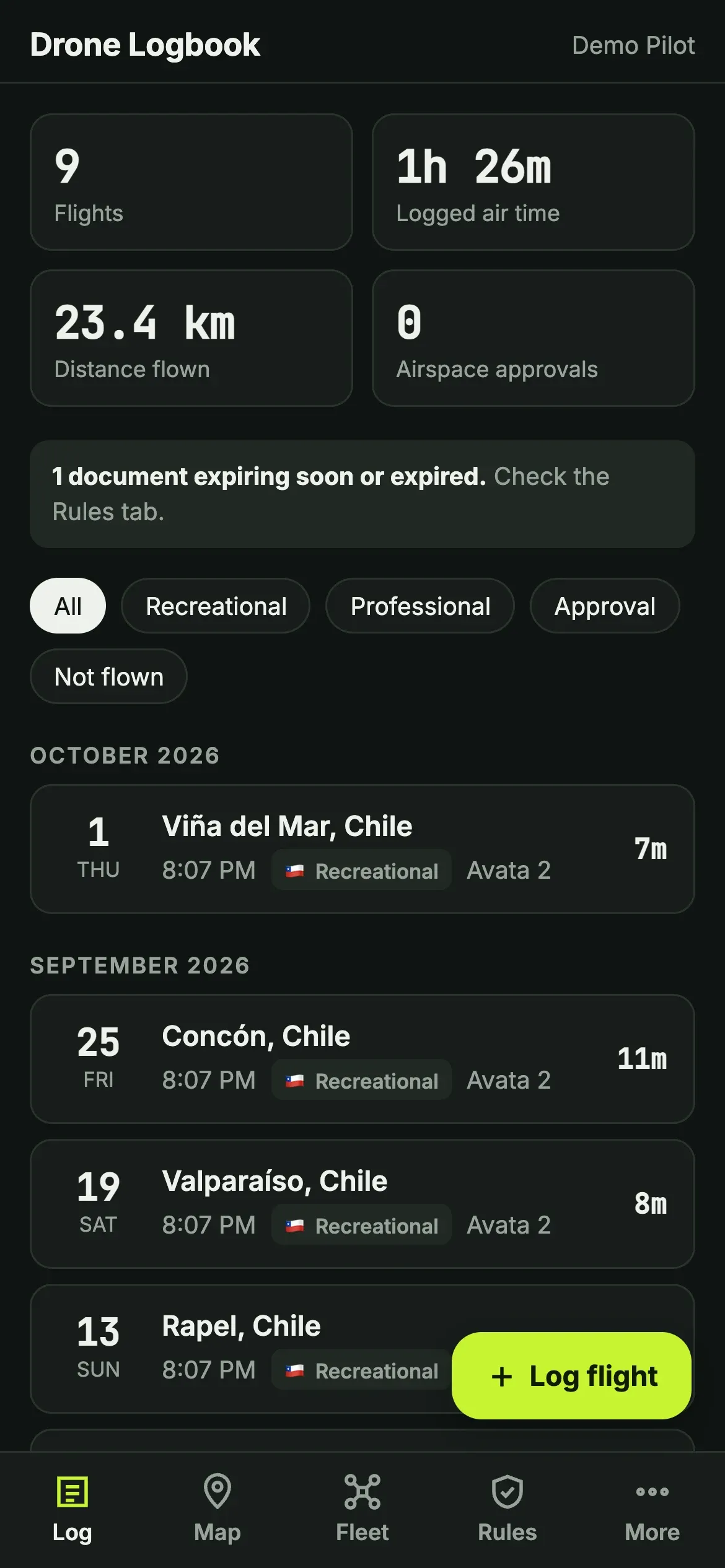
Your logbook
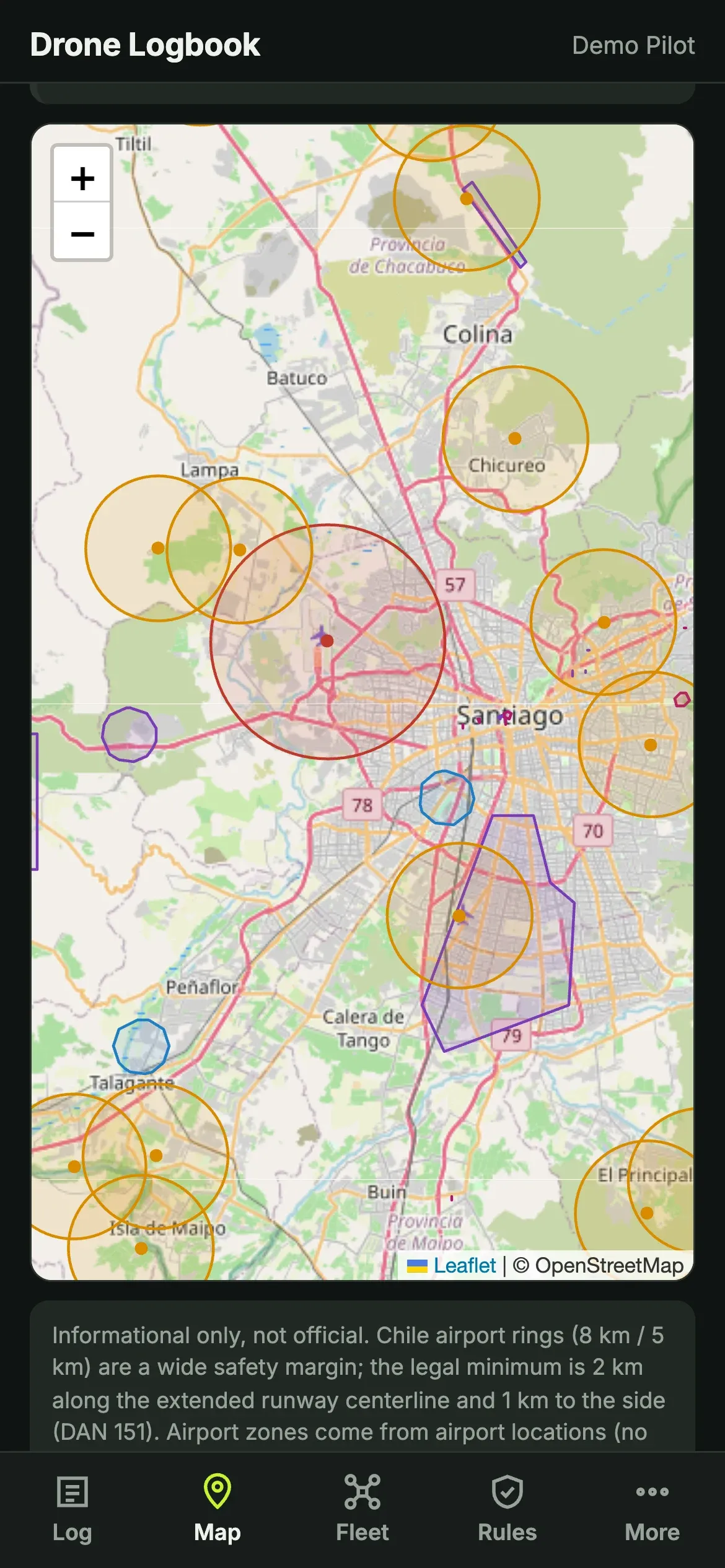
Zones on the map
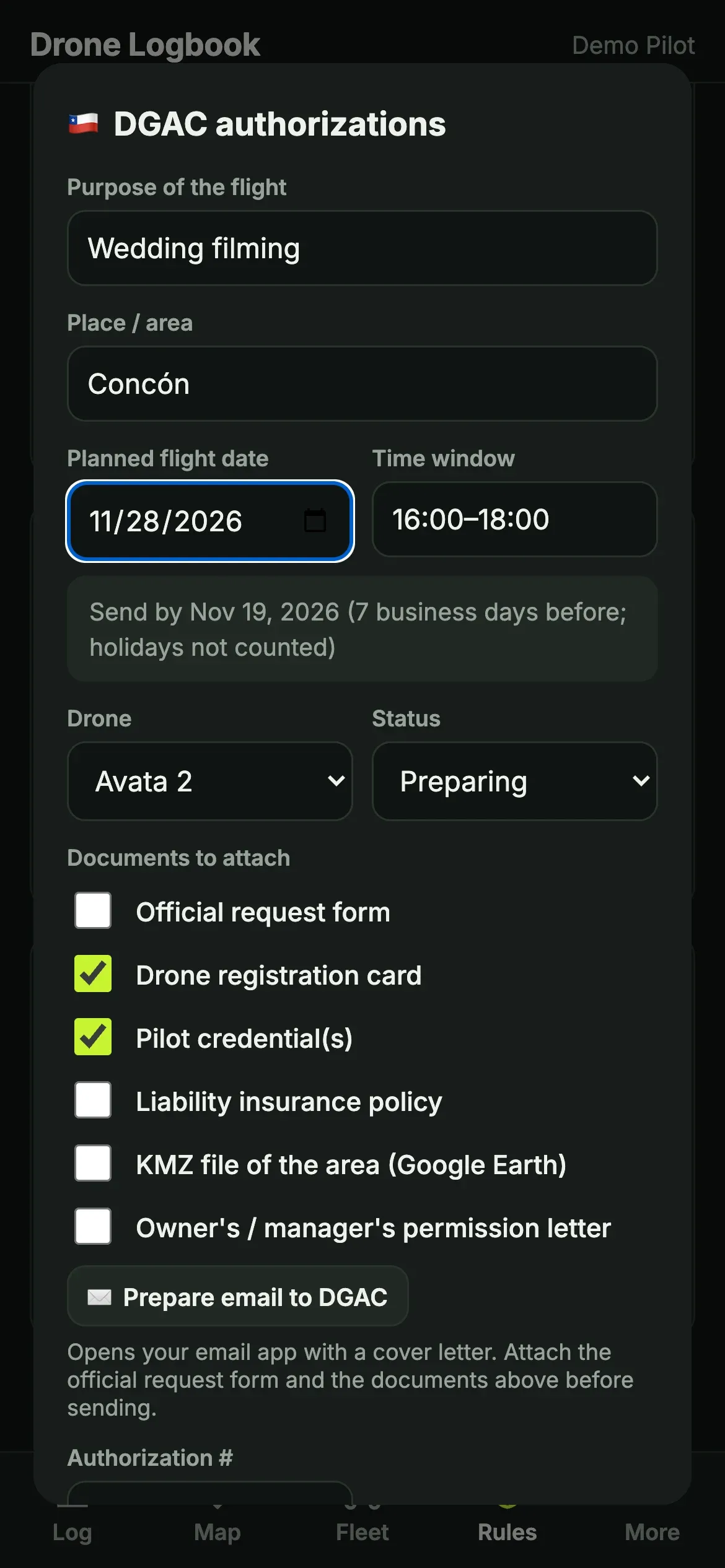
Authorization request
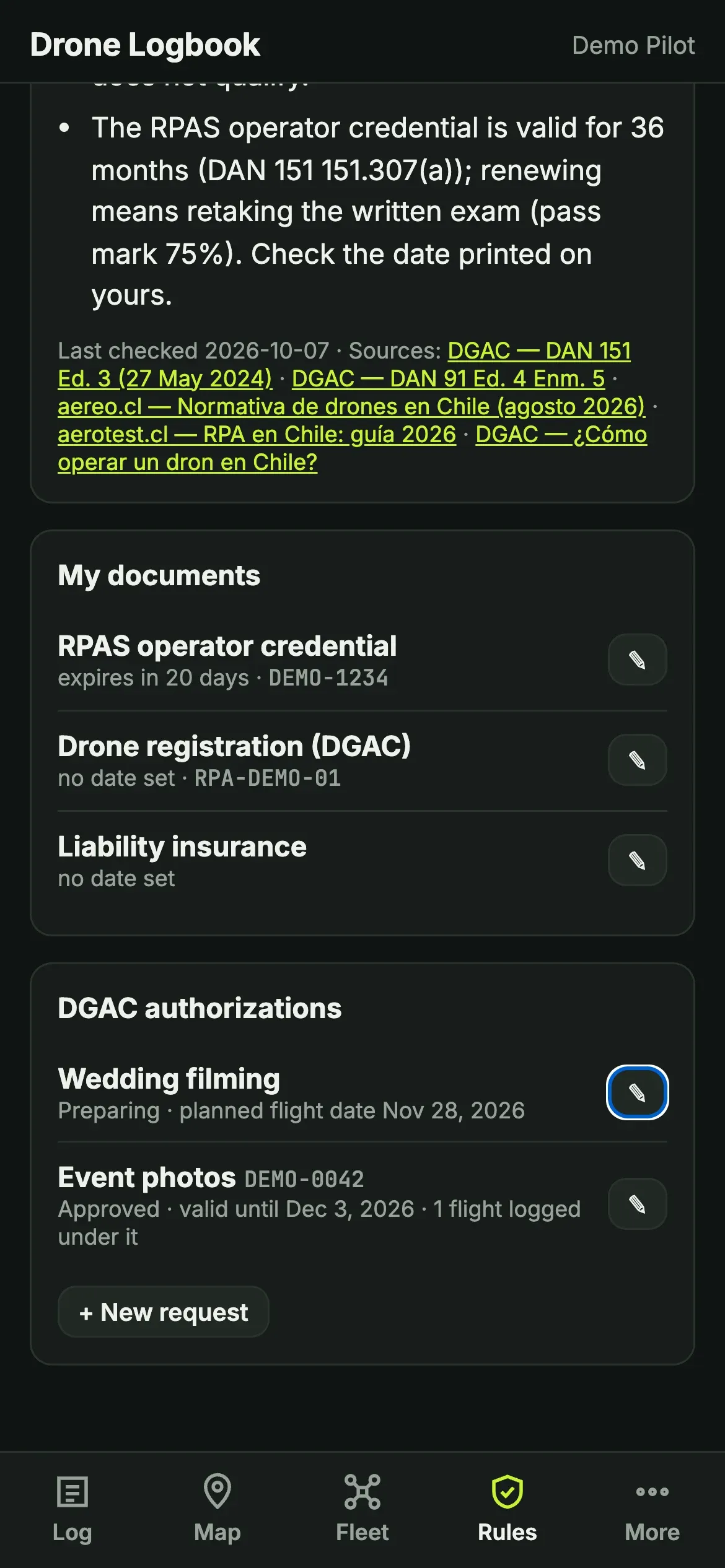
Rules and documents
Screenshots use sample data.
Install
There’s no app store: it installs from your browser in about 10 seconds. You can also just use it in the browser.
Your data
It lives only on your phone: nothing is uploaded and there are no accounts. Heads-up: if you clear your browser data or switch phones, it’s gone. Download a backup now and then (More → Download backup).
For pilots in Chile
I’m building it with Chilean pilots. What’s missing? Does something not match the rules? Write to me, I’ll check it and keep updating it. My goal is something like AutoPylot, but made for Chile.
Made by Manny Olivos, a Chilean FPV pilot in Miami.